
Shopify – Native

Summary
- This is a step-by-step guide on integrating Bankful Native for Shopify
- You will need a Username & Password for an active Bankful account to continue
- If you have not signed up for Bankful, please do so here
Contents
Native Method 1
- Alternatively, on the left-hand toolbar, click on Apps
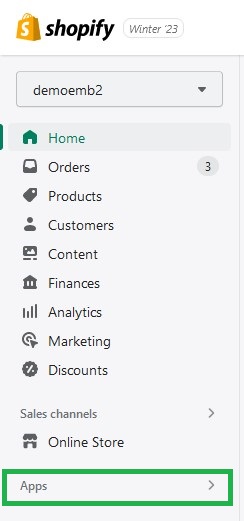
- This will take you to the search-bar at the top of the page
- Type in “Bankful Native”

- Please find and click on our Bankful Native App

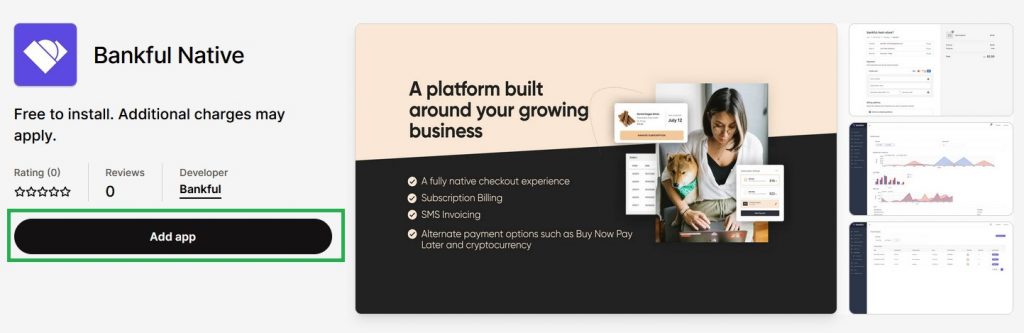
- On our app’s page, click on the Add app button
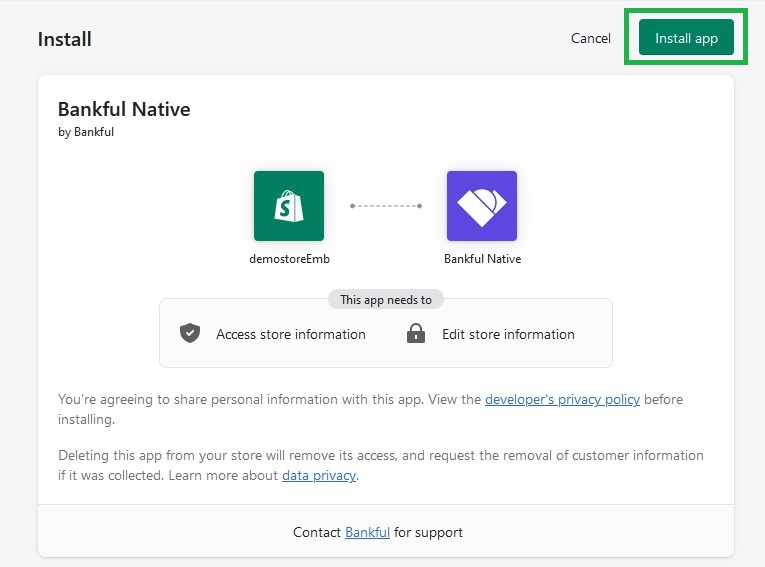
- On this new page, on the top right of the page, click the Install App button
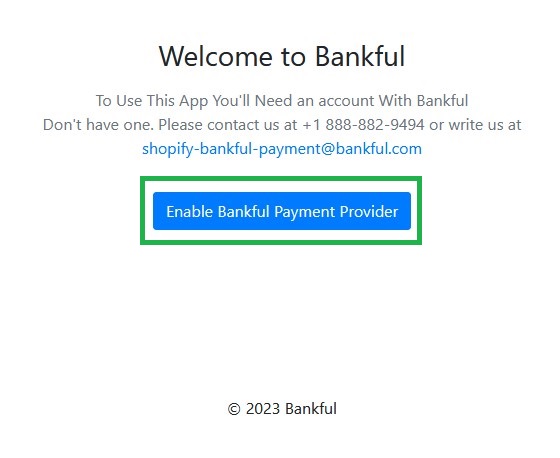
- Now let’s click the Enable Bankful Payment Provider button
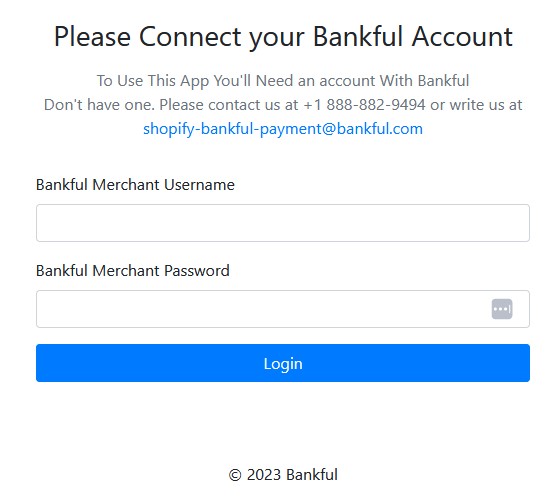
- In this section, you will need to enter the username and password you created and use to login at Bankful
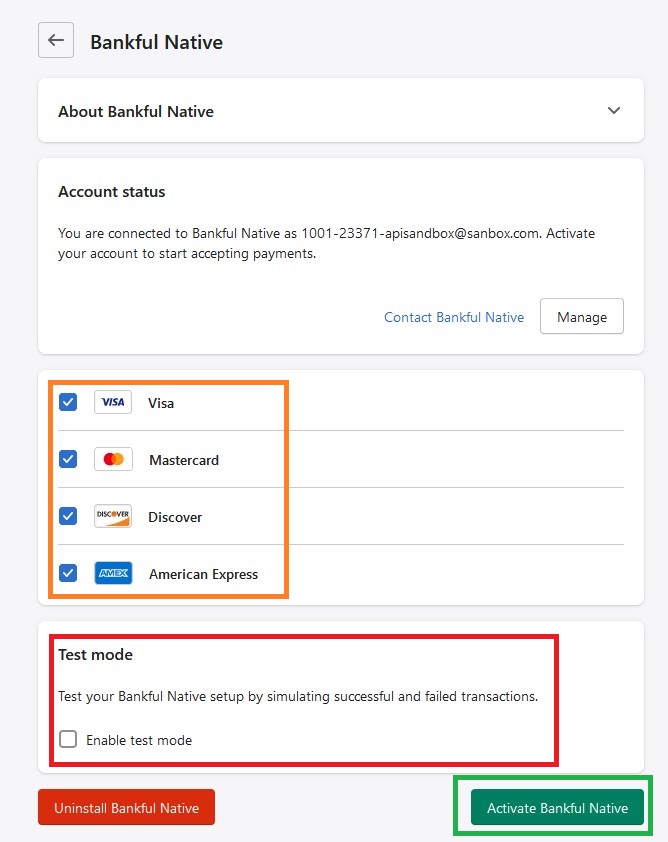
- On this page:
- Select the credit card brands you are approved for
- NOTE: Test Mode – If enabled, your transactions will appear to process, but you will not collect any funds
- This cannot be retroactively corrected
- To continue, click the Activate Bankful Native button
- You will now see a pop up box confirming Bankful Native is activated!

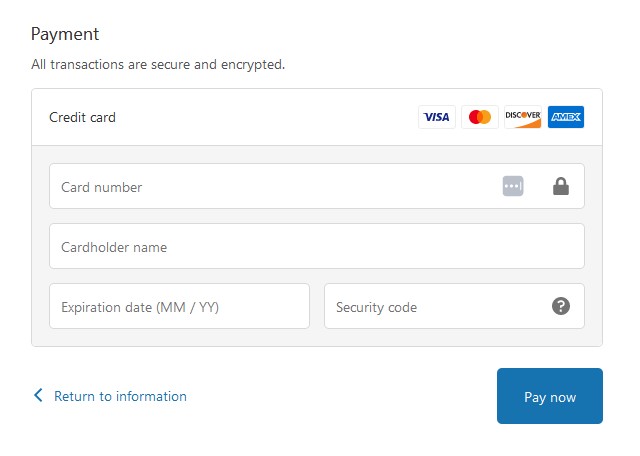
- Bankful Native will now appear at checkout, under the “Payment” section, as shown below
- If you previously had our Bankful Hosted integration, you may want to remove it from your Payment section to avoid any confusion or redundancy
- Please see Deactivating Bankful Hosted
Native Method 2
- Our second method will be available soon!
Deactivating Bankful Hosted
- If you previously had our Bankful Hosted integration, you may want to remove it from your Payment section to avoid any confusion or redundancy
- Login to Shopify
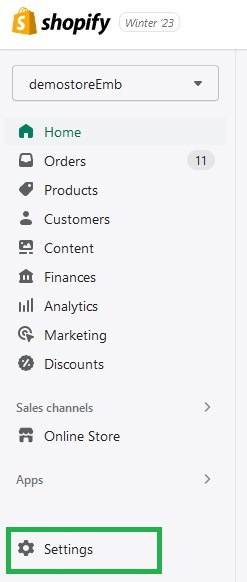
- Click Settings located at the bottom the left-hand toolbar
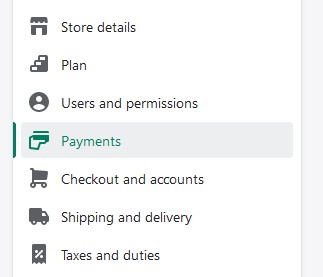
- Click on the Payments tab
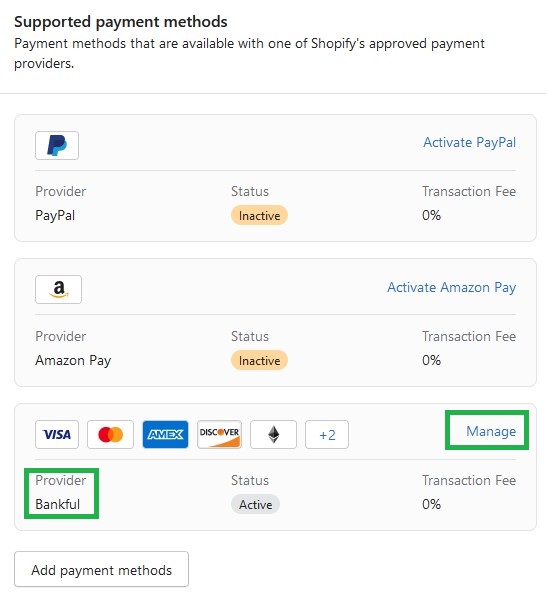
- Under Supported payment methods, locate Bankful and click on Manage
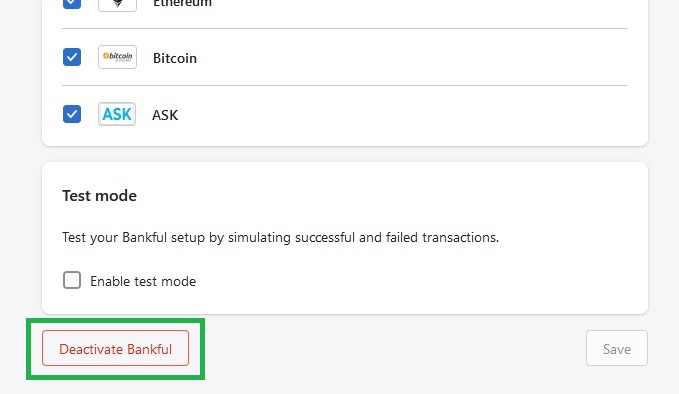
- At the bottom of this next page, click Deactivate Bankful
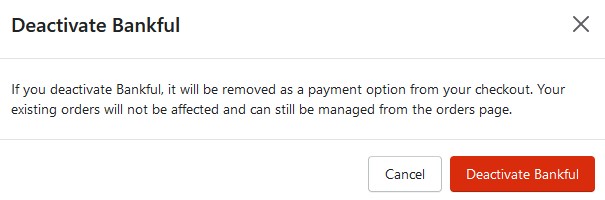
- A confirmation pop-up will appear, click again Deactivate Bankful
- A confirmation will appear like below

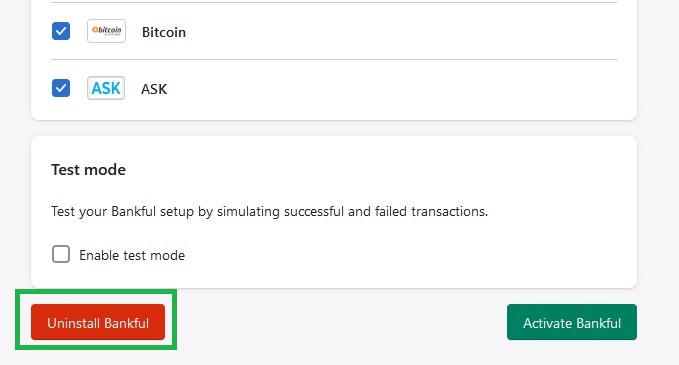
- Next, let’s click on Uninstall Bankful
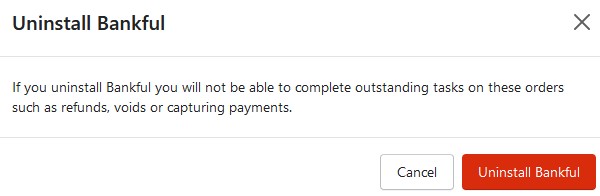
- Again, a confirmation pop-up will appear, click again Uninstall Bankful
- A confirmation will appear like below

- Bankful Hosted has been uninstalled!
Tips & Recommendations
- You can customize your Hosted Payment Page
- For manual transactions, Bankful has a Virtual Terminal
- General guides on how to use Bankful
- We advise setting customer Email & Phone Number fields to mandatory within Shopify
- This will help your processing bank verify transactions and help with any future chargeback disputes
- You are now ready to accept payments!
- If you require any assistance please reach out to [email protected]