
Shopify – Native

Summary
- This is a step-by-step guide on integrating Bankful Native for Shopify
- You will need a Username & Password for an active Bankful account to continue
- If you have not signed up for Bankful, please do so here
Contents
Integrating Bankful Native for Shopify
Follow the steps below to install and activate Bankful Native as a payment provider on your Shopify store.
Step 1: Log in to Your Shopify Store
Log in to your Shopify store’s Admin dashboard.
Step 2: Open the Bankful Native Application
After logging in to your Shopify store, click the link below to locate the Bankful Native application in the Shopify App Store:
Bankful Native – Shopify App Store
https://apps.shopify.com/bankful-cc
Step 3: Install Bankful Native
On the Bankful Native application page, click Install.
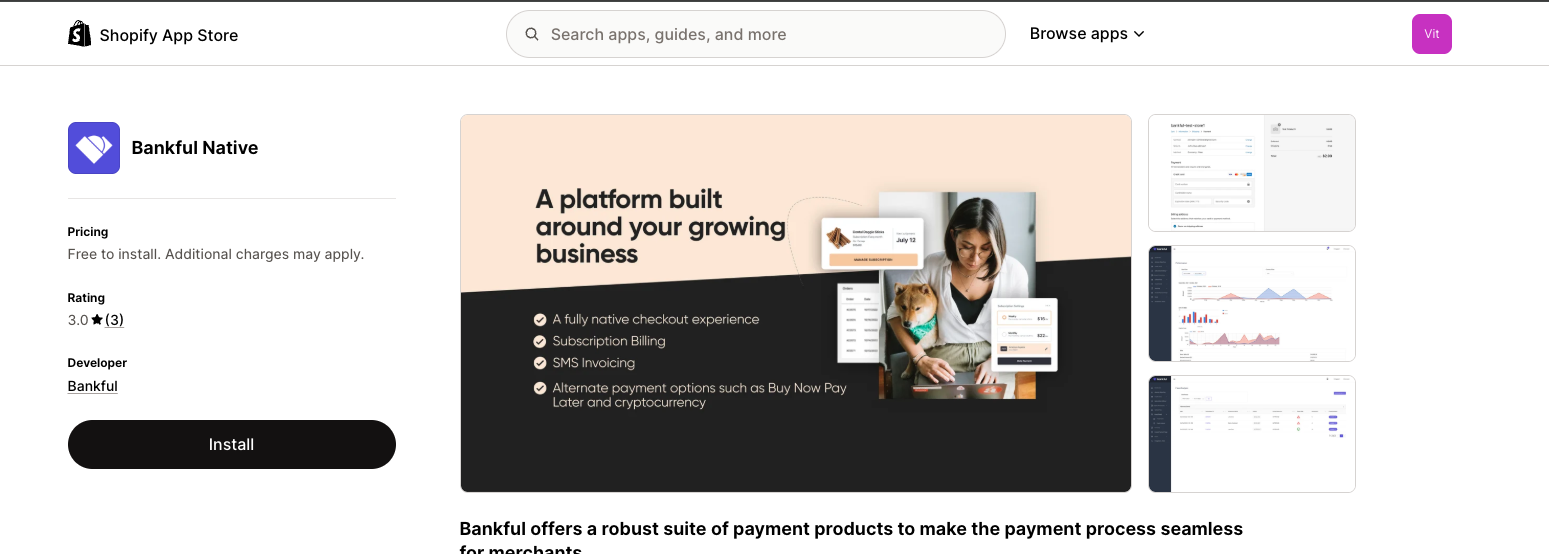
Step 4: Confirm the Installation
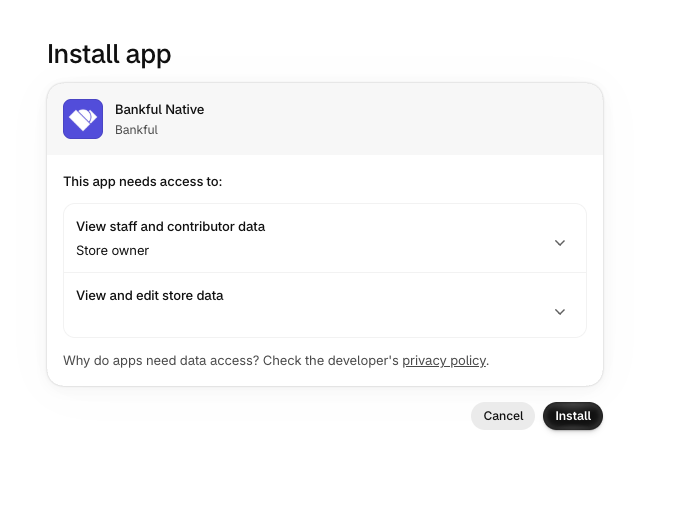
On the following page, Shopify will ask you to confirm the permissions required by the application.
Click Install Again to complete the installation process.
Step 5: Enable Bankful Native
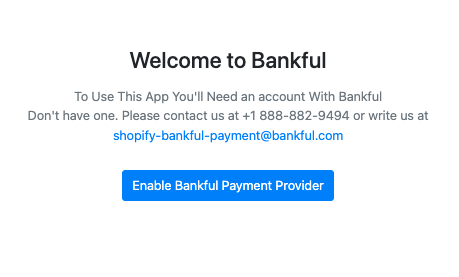
Click Enable Bankful Payment Provider.
Step 6: Enter Your Bankful Credentials
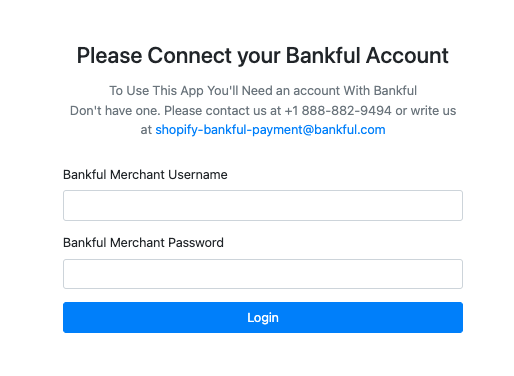
When prompted, enter your Bankful account credentials.
Important: Your Bankful username is always the primary email address associated with your Bankful account.
Once your credentials have been entered, click Login.
Step 7: Access the Activation Page
After successfully logging in, you should briefly see the following confirmation:
Your Store Is Ready To Accept Payments
You will then be taken to the Bankful Native Activation page.
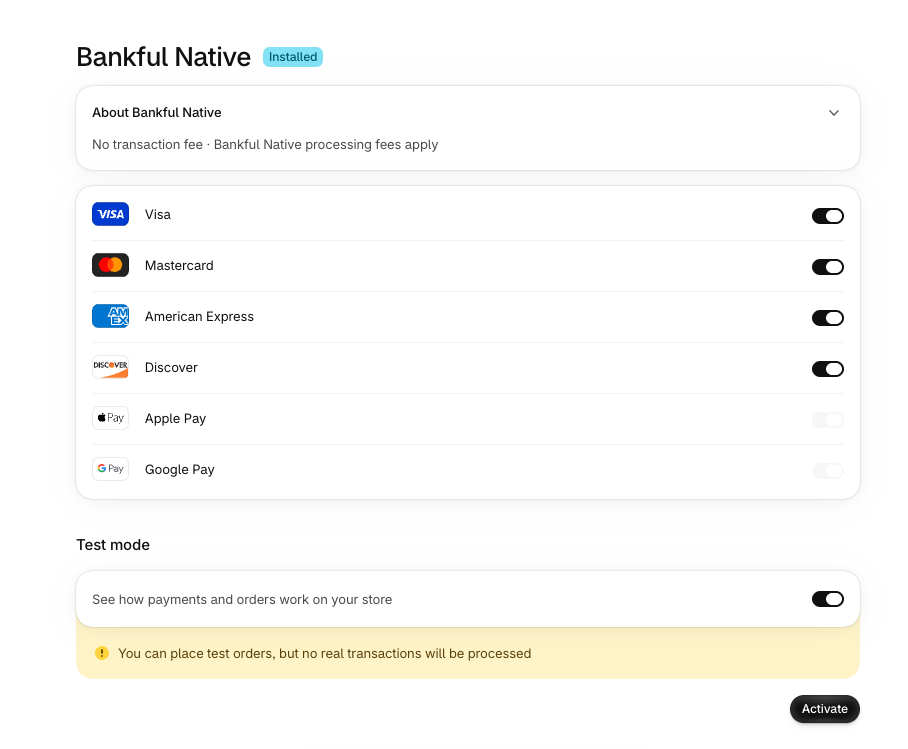
Note: If You Are Not Automatically Redirected to the Activation Page:
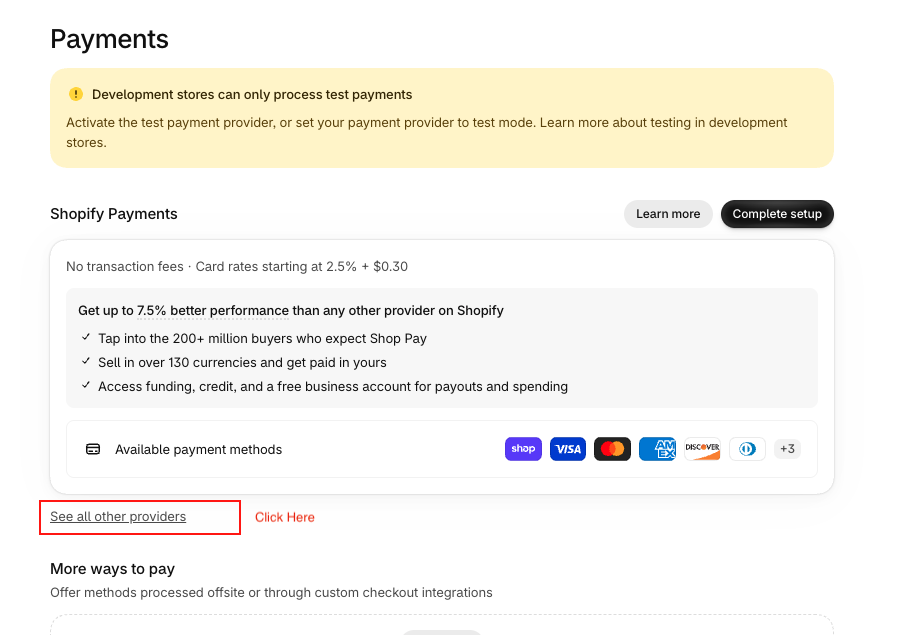
If you are not automatically taken to the Activation page, navigate to Settings > Payments in your Shopify Admin.
On the Payments page, click See all other providers.
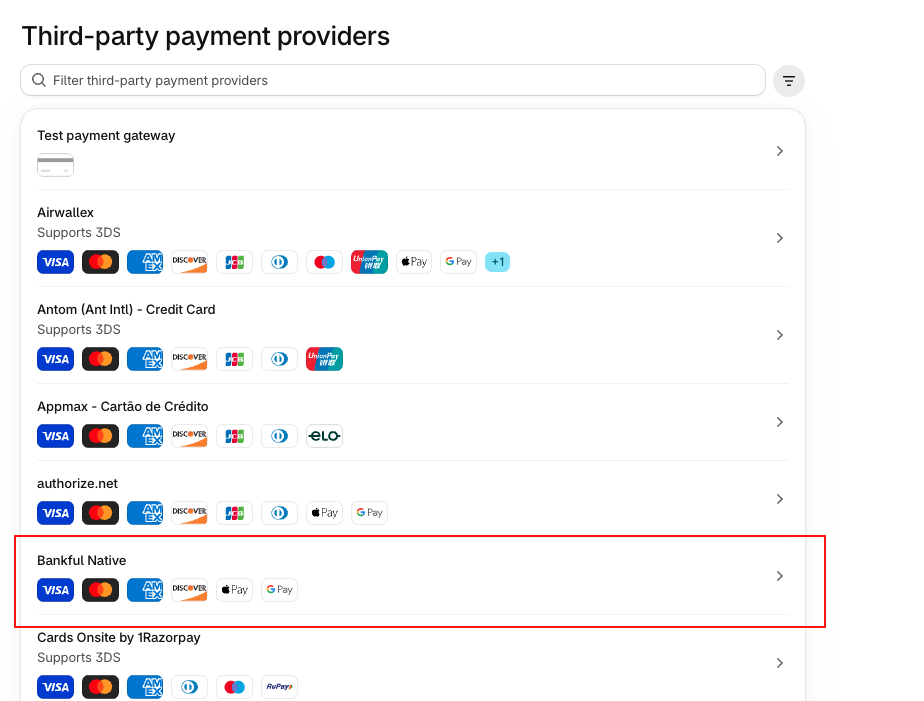
Locate Bankful Native in the list of payment providers and click Bankful Native.
You should now be on the Bankful Native Activation page.
Step 8: Select Your Payment Options
On the Bankful Native Activation page, select the desired payment options you would like to accept through your Shopify store.
Once you have selected your desired payment options, click Activate.
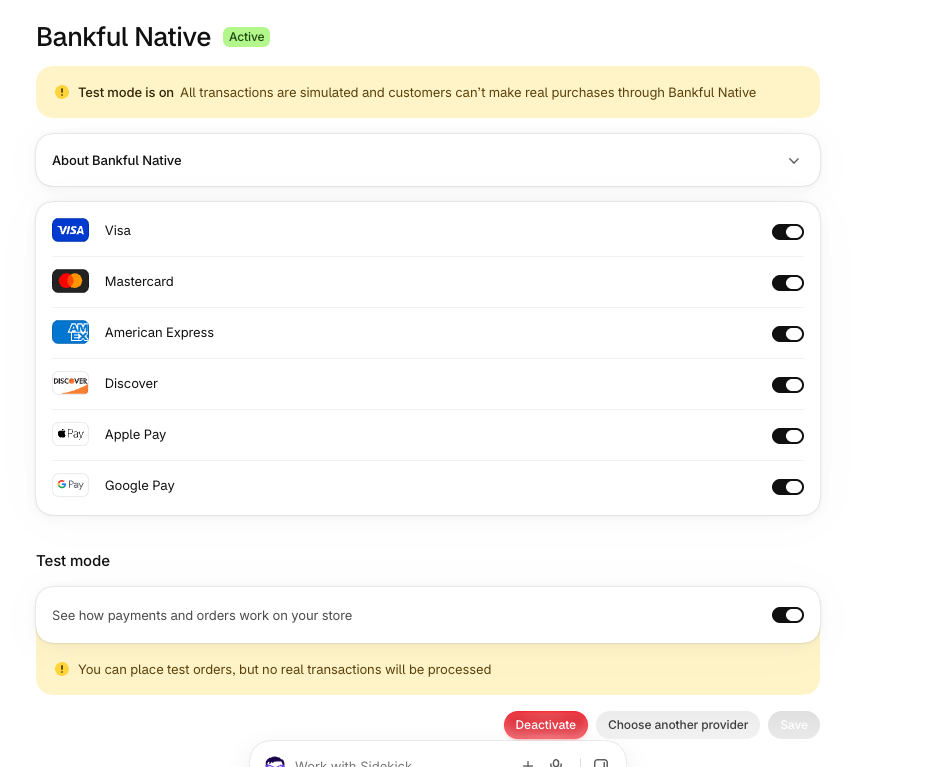
Congratulations!
Bankful Native is now successfully installed and activated on your Shopify store. You can begin processing payments through Bankful.
Deactivating Bankful Hosted
- If you previously had our Bankful Hosted integration, you may want to remove it from your Payment section to avoid any confusion or redundancy
- Login to Shopify
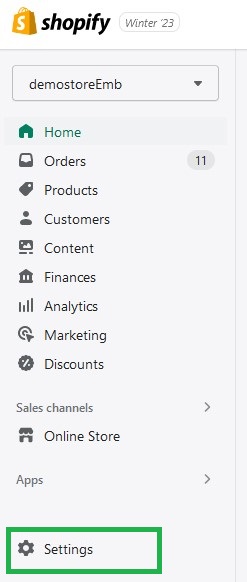
- Click Settings located at the bottom the left-hand toolbar
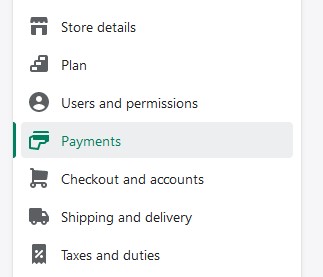
- Click on the Payments tab
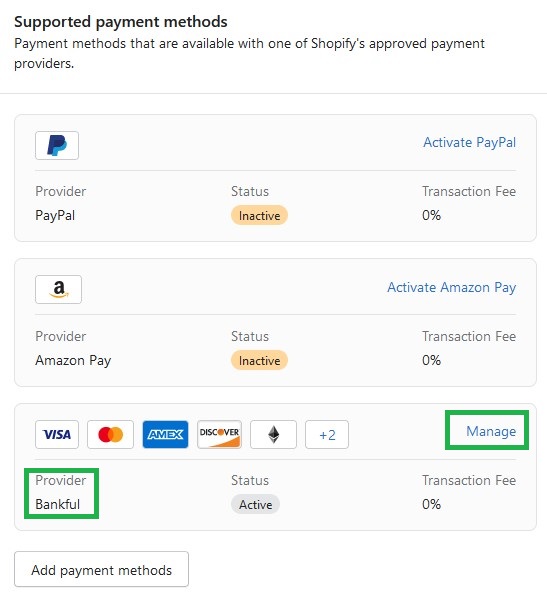
- Under Supported payment methods, locate Bankful and click on Manage
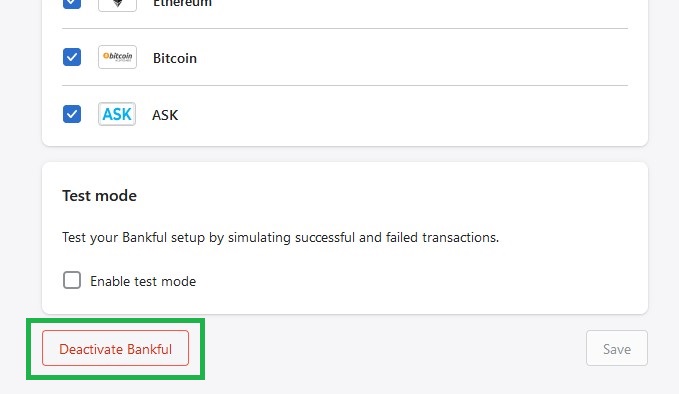
- At the bottom of this next page, click Deactivate Bankful
- A confirmation pop-up will appear, click again Deactivate Bankful
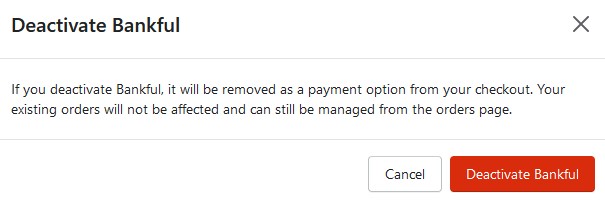
- A confirmation will appear like below

- Next, let’s click on Uninstall Bankful
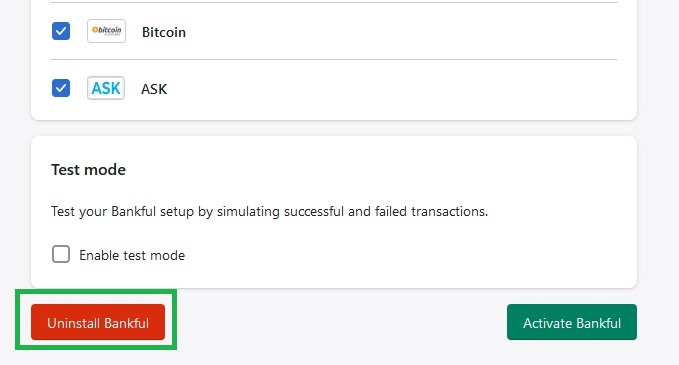
- Again, a confirmation pop-up will appear, click again Uninstall Bankful
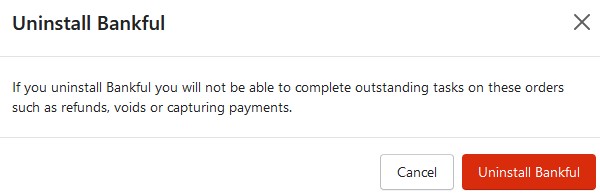
- A confirmation will appear like below

- Bankful Hosted has been uninstalled!
Tips & Recommendations
- You can customize your Hosted Payment Page
- For manual transactions, Bankful has a Virtual Terminal
- General guides on how to use Bankful
- We advise setting customer Email & Phone Number fields to mandatory within Shopify
- This will help your processing bank verify transactions and help with any future chargeback disputes
- You are now ready to accept payments!
- If you require any assistance please reach out to [email protected]